
イカクくん
ねぇたかまる、
クイズゲームってどうやって作るの?

たかまる
4択クイズなら簡単だからサクッと教えるね。
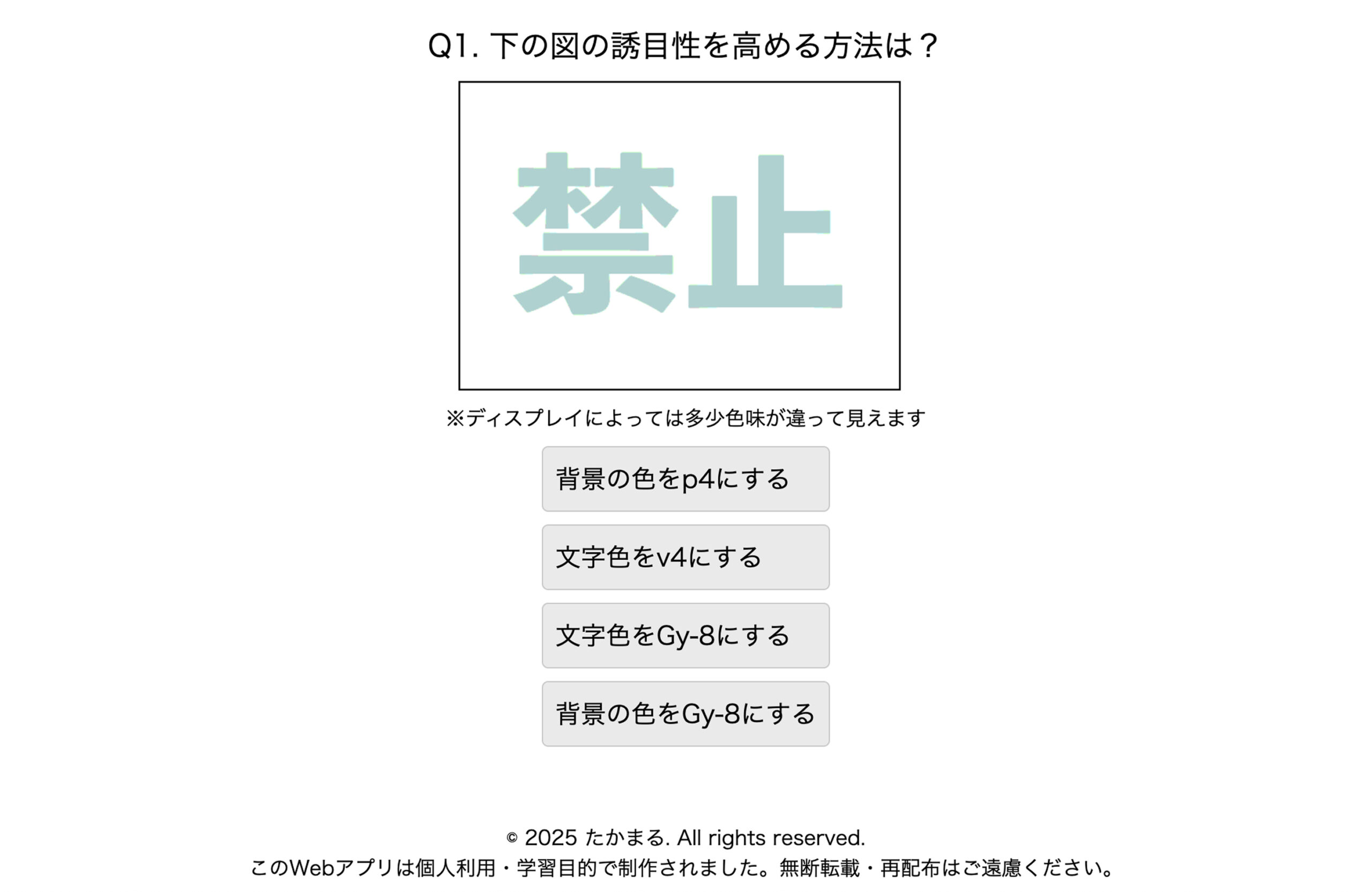
作品を見てみよう
たかまる
主な特徴はこんな感じ。
・問題の選択肢が4つ
・選択肢の順番はランダム表示
・問題によっては画像を表示
・正解と不正解に色をつける
・正解率の表示
ディレクトリ構成
projectフォルダ/
├── img/
│ └── 必要なものを用意
├── index.html
├── style.css
├── common.js
├── quiz-01.js
└── quiz-02.js
HTML/CSS
index.html
<!DOCTYPE html>
<html lang="ja">
<head>
<meta charset="UTF-8" />
<title>ここにタイトル</title>
<meta name="description" content="ここにゲームの説明文">
<meta name="viewport" content="width=device-width, initial-scale=1">
<link rel="stylesheet" href="https://unpkg.com/ress/dist/ress.min.css">
<link rel="stylesheet" href="style.css">
</head>
<body>
<h1>ゲームタイトル</h1>
<div class="btn-group">
<button id="quiz01Btn">クイズ1</button>
<button id="quiz02Btn">クイズ2</button>
</div>
<div id="explanation" style="margin-top: 20px; display: none;">
<p id="questionText"></p>
<div id="imageContainer" style="margin-top: 10px; margin-bottom: 10px;"></div>
<p>ここにメッセージ。</p>
<div class="wrapper">
<div id="choices"></div>
</div>
<div id="resultPopup" style="display: none;"></div>
<button id="nextBtn" style="display: none; margin-top: 12px;">次の問題へ</button>
<!-- ポップアップの外に配置する「戻る」ボタン -->
<button id="backBtn" style="display: none; margin-top: 20px;">戻る</button>
</div>
<footer>
<p>© 2025 あなたの名前. All rights reserved.</p>
<p>このWebアプリは個人利用・学習目的で制作されました。無断転載・再配布はご遠慮ください。</p>
</footer>
<script src="quiz-01.js"></script>
<script src="quiz-02.js"></script>
<script src="common.js"></script>
</body>
</html>
style.css
@charset "UTF-8";
* { /* --- オフライン環境用CSSリセット --- */
  margin: 0;
  padding: 0;
  box-sizing: border-box;
}
html {
  font-size: 100%;
}
body {
  font-family: sans-serif;
  text-align: center;
  padding: 0 17vw;
}
img {
  max-width: 100%; /* 親のコンテンツから画像がはみ出すのを防ぐ */
  vertical-align: bottom; /* 画像の下にできる隙間を消す */
}
footer {
  margin-top: 50px;
}
button {
    display: block;
    justify-content: center;
    align-items: center;
    width: 100%;
    margin:10px auto;
    padding: 1em;
    border: 1px solid #c9c9c9;
    border-radius: 5px;
    background-color: #eaeaea;
    color: #000;
    font-weight: 400;
    font-size: 1em;
}
button:hover {
    background-color: #c9c9c9;
    border: 1px solid #999999;
}
/* --------------------------------------------------------- */
.wrapper {
  display: flex;
  justify-content: center;
}
.btn-group {
  margin: 62px;
}
.btn-group button {
  display: block;
  margin: 16px auto;
  width: 200px;
}
/* --------------------------------------------------------- */
#imageContainer {
  display: flex;
  flex-wrap: nowrap; /* 改行禁止 */
  align-items: center; /* 縦位置を揃える(任意) */
  justify-content: center; /* 横位置を揃える(任意) */
  gap: 1px; /* 画像間の隙間(任意) */
}
#resultPopup {
  padding: 12px;
  margin-top: 16px;
  border-radius: 8px;
  color: white;
  font-size: 20px;
}
#quiz01Btn,
#quiz02Btn,
#nextBtn {
    display: flex;
    justify-content: center;
    align-items: center;
    margin:10px auto;
    padding: 1em;
    border: 1px solid #c9c9c9;
    border-radius: 5px;
    background-color: #fafafa;
    color: #000;
    font-weight: 600;
    font-size: 1em;
}
#quiz01Btn:hover,
#quiz02Btn:hover,
#nextBtn:hover {
    background-color: #c9c9c9;
    border: 1px solid #999999;
}
#backBtn {
  font-size: 20px;
  padding: 10px;
  margin-bottom: 32px;
}
#questionText {
  font-size: 24px;
}
#choices button {
  display: block;
  font-size: 20px;
  text-align: left;
  margin: 10px 0;
  padding: 10px;
}
/* --------------------------------------------------------- */
@media (max-width: 767px) {
  body {
    padding: 0 10px;
  }
  p {
    font-size: 12px;
  }
  #questionText {
    font-size: 16px;
  }
  #imageContainer {
    flex-direction: column;
    align-items: center;
  }
  #choices button {
    font-size: 16px;
  }
  .ca-rate { /* common.js用 */
    font-size: 18px;
  }
}
たかまる
HTML/CSSについての解説は省略するね。
よくわからない人はこれを丸コピして使ってね。
common.js
たかまる
各クイズ共通の処理をcommon.jsに書いていくよ。
簡単な説明はコメントアウトに書いておいたよ。
// 現在の問題インデックス、正解数、クイズデータ格納用
let currentIndex = 0;
let correctCount = 0;
let currentQuestions = [];

// 各種DOM要素の取得
const quiz01Btn = document.getElementById("quiz01Btn");
const quiz02Btn = document.getElementById("quiz02Btn");
const explanation = document.getElementById("explanation");
const questionText = document.getElementById("questionText");
const choicesDiv = document.getElementById("choices");
const resultPopup = document.getElementById("resultPopup");
const nextBtn = document.getElementById("nextBtn");
const backBtn = document.getElementById("backBtn");
const imageContainer = document.getElementById("imageContainer");

// クイズ開始ボタンのイベント設定
quiz01Btn.onclick = () => startQuiz(questions);   // クイズ1
quiz02Btn.onclick = () => startQuiz(questions2);  // クイズ2

// クイズ開始処理
function startQuiz(quizData) {
  // ボタン非表示、クイズ領域表示
  quiz01Btn.style.display = "none";
  quiz02Btn.style.display = "none";
  explanation.style.display = "block";
  questionText.style.display = "";
  choicesDiv.style.display = "";
  imageContainer.style.display = "";

  // 初期化
  currentIndex = 0;
  correctCount = 0;
  currentQuestions = quizData;

  // 最初の問題を表示
  showQuestion();
}

// 現在の問題を表示
function showQuestion() {
  const q = currentQuestions[currentIndex];

  // 問題文表示
  questionText.innerHTML = q.question;

  // 前の結果などを非表示にする
  resultPopup.style.display = "none";
  nextBtn.style.display = "none";
  choicesDiv.innerHTML = "";
  imageContainer.innerHTML = "";

  // 画像(最大3枚)を表示
  [q.image1, q.image2, q.image3].forEach(src => {
    if (src) {
      const img = document.createElement("img");
      img.src = src;
      img.style.maxWidth = "350px";
      img.style.marginRight = "10px";
      imageContainer.appendChild(img);
    }
  });

  // 選択肢をシャッフルして表示
  const choices = [q.correct, ...q.incorrect];
  for (let i = choices.length - 1; i > 0; i--) {
    const j = Math.floor(Math.random() * (i + 1));
    [choices[i], choices[j]] = [choices[j], choices[i]];
  }

  // 正解インデックスを記憶
  showQuestion.currentAnswer = choices.indexOf(q.correct);

  // 選択肢ボタンを生成
  choices.forEach((choice, i) => {
    const btn = document.createElement("button");
    btn.innerHTML = choice;
    btn.onclick = () => checkAnswer(i);
    choicesDiv.appendChild(btn);
  });
}

// 解答チェック処理
function checkAnswer(selected) {
  const q = currentQuestions[currentIndex];
  const answerIndex = showQuestion.currentAnswer;

  // 正誤判定
  if (selected === answerIndex) {
    correctCount++;
    resultPopup.style.backgroundColor = "#2589d0";  // 正解:青
    resultPopup.innerHTML = `✅ 正解!<br><small>${q.explanation || ""}</small>`;
  } else {
    resultPopup.style.backgroundColor = "#ef857d";  // 不正解:赤
    resultPopup.innerHTML = `❌ 不正解<br><small>${q.explanation || ""}</small>`;
  }

  // 結果表示
  resultPopup.style.display = "block";
  nextBtn.style.display = "inline-block";

  // 全選択肢を無効化し、正誤に応じたスタイルに変更
  Array.from(choicesDiv.children).forEach((b, i) => {
    b.disabled = true;
    if (i === answerIndex) {
      b.style.backgroundColor = "#2589d0";
      b.style.color = "white";
    } else if (i === selected) {
      b.style.backgroundColor = "#ef857d";
      b.style.color = "white";
    }
  });
}

// 次の問題または結果へ
nextBtn.onclick = () => {
  currentIndex++;
  if (currentIndex >= currentQuestions.length) {
    showFinalResult();  // 最後なら結果表示
  } else {
    showQuestion();     // 次の問題へ
  }
};

// クイズ終了時の成績表示
function showFinalResult() {
  // 問題・選択肢・画像など非表示
  questionText.style.display = "none";
  choicesDiv.style.display = "none";
  imageContainer.style.display = "none";
  ofuse.style.display = "flex";

  // 結果メッセージ表示(正解数・正解率)
  resultPopup.style.backgroundColor = "#2e8b57"; // 緑色
  resultPopup.innerHTML = `
    <h2>結果発表🎉</h2>
    <p class="ca-rate">${currentQuestions.length}問中 ${correctCount}問正解!</p>
    <p class="ca-rate">正解率:${Math.round((correctCount / currentQuestions.length) * 100)}%</p>
  `;
  resultPopup.style.display = "block";
  backBtn.style.display = "inline-block";
  nextBtn.style.display = "none";
}

// 戻るボタン:ページをリロードして初期化
backBtn.onclick = () => location.reload();
quiz-01.js
たかまる
これが問題文のデータだよ。
// クイズの問題データ配列。各問題はオブジェクトで管理。
const questions = [
  {
    question: "Q1. ここに問題文1",
    image1: "img/01.gif",
    image2: "img/02.gif",
    image3: "img/03.gif",
    correct: "ここに正解文",
    incorrect: [
      "不正解1",
      "不正解2",
      "不正解3"
    ],
    explanation: "ここに解説。空でもOK"
  },
  {
    question: "Q2. ここに問題文2",
    image1: "",
    image2: "",
    image3: "",
    correct: "ここに正解文",
    incorrect: [
      "不正解1",
      "不正解2",
      "不正解3"
    ],
    explanation: ""
  },
]
たかまる
quiz-02.jsは、
const questions = [
を
const questions2 = [
にしてね!
イカクくん
たったこれだけでできるんだ!
たかまるありがとう!
頑張って作ってみるよ!
コメント